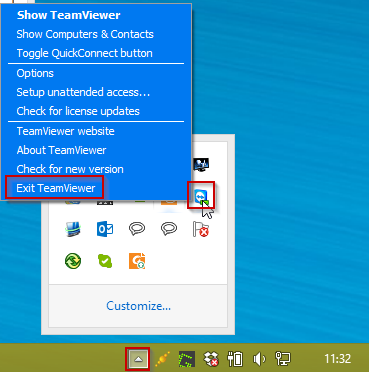
You can close TeamViewer by selecting "Exit Teamviewer" in the right click menu of it's icon in the system tray.
How to close a running TeamViewer application
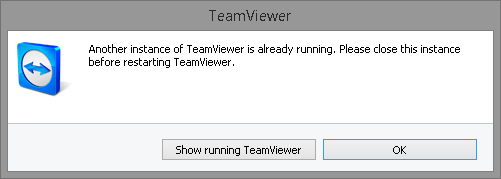
To be able to run the TeamViewer client you may be prompted to close the
current running version of TeamViewer on your pc, if you already have another
instance of TeamViewer running. like the screenshot below.The system icon will be visible or grouped depending on your settings.
Scroll for screenshots of the 2 possibilities:
You can close TeamViewer by selecting "Exit Teamviewer" in the right
click menu of it's icon in the system tray.
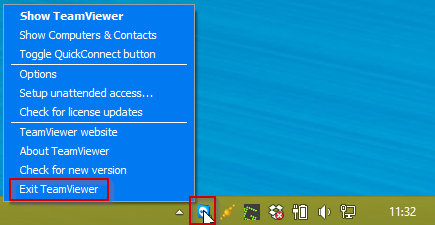
You can close TeamViewer by selecting "Exit Teamviewer" in the right
click menu of it's icon in the system tray.